Not just notes that sit there. Actual tasks with deadlines, contacts to follow up on, and reminders before things slip. No folders, no tags, no setup.
You carry everything in your head: tasks, ideas, deadlines, follow-ups, promises you made weeks ago. Your brain is doing the work of a filing system instead of the work of actually thinking.
And when you finally write something down, you still have to decide: is it a task, a note, a project, or a contact? You pick a folder, choose a tag, and configure a database. By the time you finish organizing, the energy is gone.
You spend more time maintaining your system than actually working. You forget things. You lose momentum. The mental load becomes the job.
What if you could just dump your thoughts and move on, knowing everything is organized and followed up on automatically?

Three steps, zero learning curve. Zenmori does the heavy lifting so you can stay in flow.
Type, speak, or paste. No categories, no tags, no templates. Just get your thoughts out of your head, even if they are messy and incomplete.
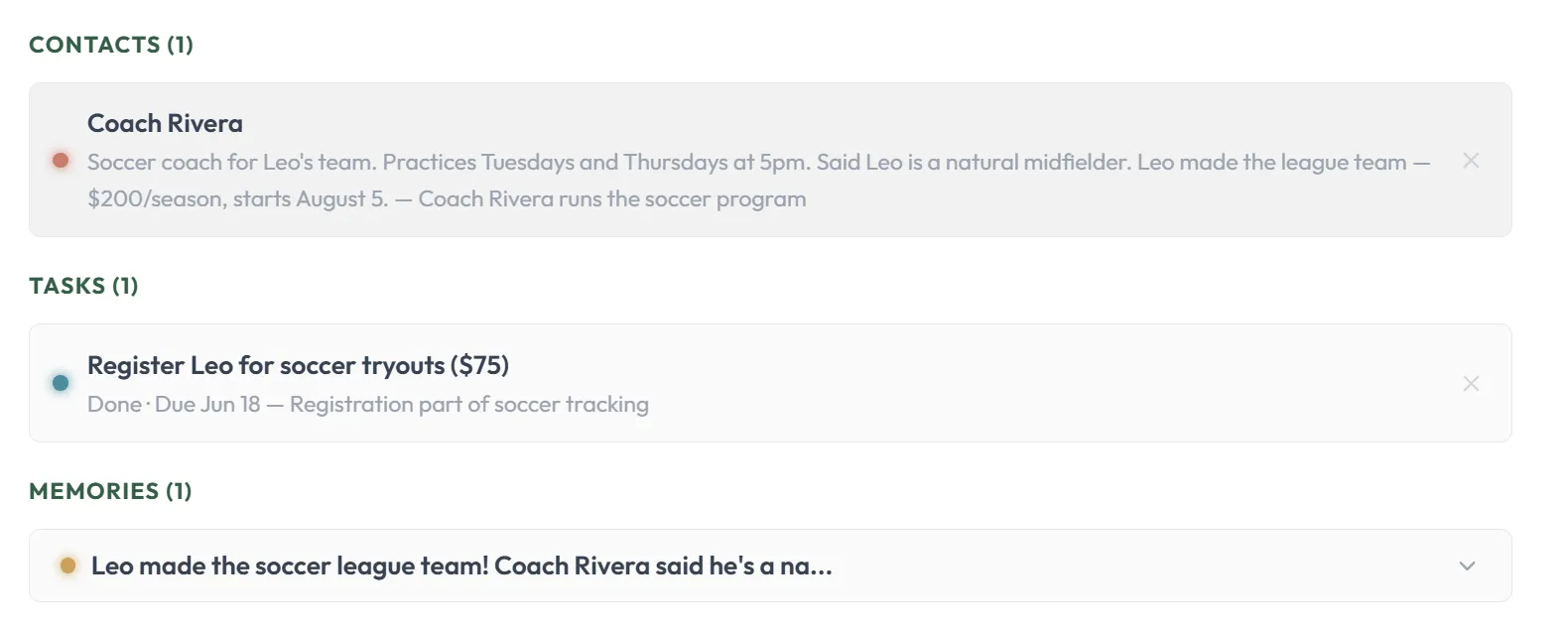
The assistant automatically structures your thoughts into tasks with due dates, contacts with follow-up tracking, and wiki pages. Your system builds itself in the background.
Get personalized recommendations on what to do next, review your day's progress, and ask questions to instantly retrieve past details when you need them.
Most productivity apps turn into a graveyard of unread pages. Zenmori takes a different approach.
Pages that sit there. You still have to search, read, and remember to follow up yourself. The system stores. It doesn't act.
The constant chore of manually tagging, linking, and organizing takes more time than your actual work. Maintenance becomes the job.
Automatically turns your thoughts into actual tasks, contacts, and structured knowledge. Instead of just storing ideas, it acts on them.
The value of a second brain is in what it builds, rather than just what it stores.
Zenmori takes your raw text and voice dumps and structures them into tasks, contacts, and your knowledge base automatically. You don't have to manage folders, tags, or databases. You simply capture your thoughts, and Zenmori handles the rest.
"What was Sandra's opinion on the last monthly report? When is the next report due?"
Ask Zenmori a question. It instantly searches your tasks, contacts, and notes, bringing you the exact answer without making you dig through folders. Everything you have ever captured is always just a quick question away.
"I will have a coffee chat with Mark next Tuesday"
Say it out loud. Zenmori transcribes and structures your thought in seconds. Just review, tap send, and let the app file it. Add Zenmori to your phone's home screen. It works directly in your browser like a native app.

Dump a thought about a project. Mention a person. Reference a task. Zenmori links them all together automatically.
No tags, folders, or manual linking required. Watch your thoughts grow into a living network of tasks, contacts, and ideas, all connected without you lifting a finger.
Every time you dump a thought, Zenmori connects the dots automatically. A task links directly to a project in your knowledge base. Contacts attach to related tasks. Memories connect to the projects they mention.
You don't create or maintain these links. You just keep dumping, and explore your living network through an interactive graph view that builds itself.
No manual tagging. No graph maintenance. No thinking about structure.
Four situations that happen every day. Zenmori removes the friction from each one.
"I have a million things in my head: paying that bill, buying toilet paper, following up with Priya, creating a morning routine, and remembering that the cookie recipe needs less flour. I don't know where any of it lives, but I know I'm going to forget something."
"I had this great idea in the shower. By the time I opened my notes app, set up a page, decided what category it belongs in, and started writing, the energy was gone. The gap between having an idea and actually working on it feels like climbing a wall."
"A document app for docs. A notebook app for notes. A checklist app for tasks. My phone for reminders. My head for everything else. I've switched tools four times this year. I just want one place that actually works."
"Is this a task or a project? Should I group it by client or by type of work? What tag do I use? Do I create a subtask or a separate entry? Every new thing I capture requires a dozen micro-decisions. By the time I'm done organizing, I've lost focus on the actual work."
You shouldn't need a degree in filing systems to keep your life straight.
Everything you need to know before getting started.
Not exactly. Notes are only the input. Zenmori automatically turns what you capture into tasks with due dates, contacts with follow-up tracking, reminders, and structured knowledge. Instead of just storing your thoughts, it acts on them with personalized recommendations on what to do next. Think of it as an AI personal assistant that remembers and follows through, not a digital notebook.
Notion is a blank canvas. You build your own system with pages, databases, and templates. Zenmori is an AI productivity assistant that organizes itself. You just dump your thoughts in plain text or voice, and it automatically structures them into tasks, contacts, and knowledge. No setup, no databases to configure, no templates to maintain. You get an AI assistant that remembers and follows up, not a workspace you have to manage.
Obsidian is a powerful personal knowledge management tool for people who enjoy organizing notes, linking concepts, and maintaining a graph. Zenmori is designed for people who want to capture thoughts without the overhead. You don't create folders, tags, or links. Zenmori does it all automatically. Instead of asking you to organize, it asks: what do you want to get done?
Mem helps you remember what you've seen. It's like a second brain for recall. Zenmori goes further: it helps you remember and follow through. When you tell Zenmori about a task, a meeting, or a deadline, it structures it into actionable items with due dates, tracks contacts and follow-ups, and recommends what deserves your attention next. Mem helps you find what you forgot. Zenmori helps you act on what you remembered.
Yes. Everything you capture stays in your system and is always searchable. Ask Zenmori a question weeks or months later about a task, a contact, or a project detail, and it will find the answer across everything you've ever told it. Your AI memory assistant builds a living knowledge base that grows over time, so you never lose context from past conversations or decisions.
No. Zenmori eliminates the need for folders, tags, categories, and databases. When you dump a thought, the assistant automatically figures out what it is. It becomes a task, a contact, a reminder, or a knowledge entry, and files it for you. You can still organize things manually if you want, but you do not have to. The system builds itself in the background.
Yes, we take your privacy seriously. Your data is protected by industry-standard encryption both in transit (TLS 1.3) and at rest (AES). Zenmori does not sell your data or use it to train AI models. Only you can access your tasks, contacts, and knowledge base. You can read our full privacy policy for details.
Yes. Zenmori supports voice capture directly in your browser with no app download required. Just speak your thoughts naturally, and Zenmori transcribes and structures them into tasks, contacts, and reminders. Add Zenmori to your phone's home screen for a native-like experience. Voice capture works great for capturing thoughts on the go.
Zenmori is in closed beta with limited spots. Register now for a generous 60 days of free access with no credit card required.
Get started free